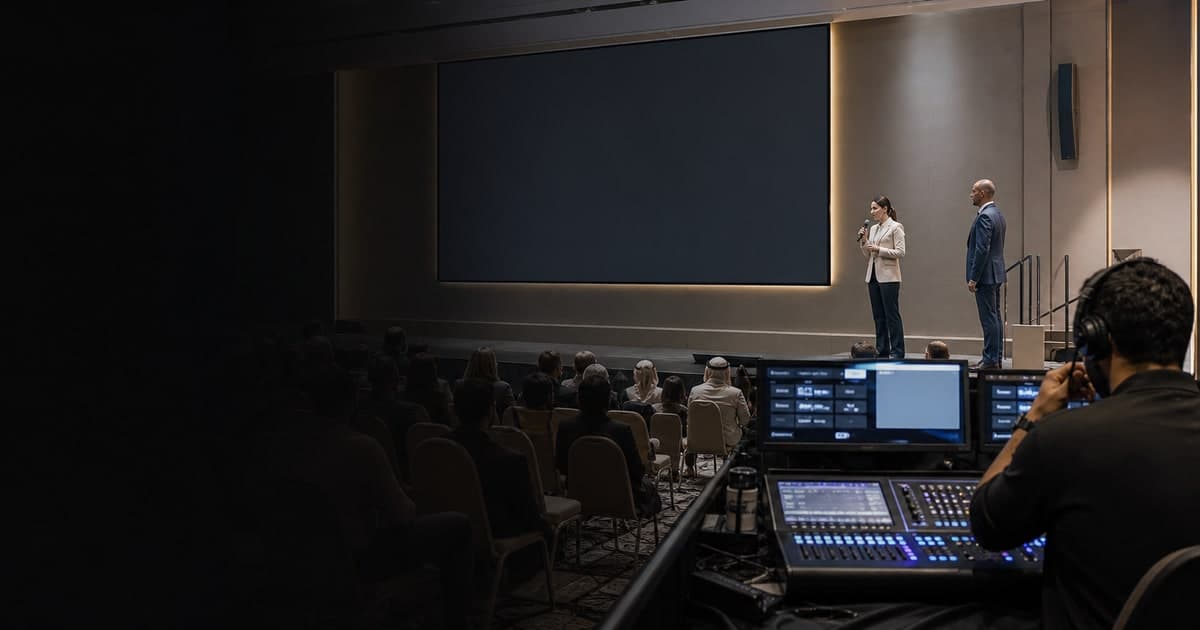
When keynote AV fails, I stop the room from becoming part of the troubleshooting. I pause at a clean point, listen for the producer's cue, give the audience one truthful next step, and leave the diagnosis to the technical team. Calm hosting helps, but the backup only works when the event team has prepared it.
What should an MC do when the screen goes black?
An MC should acknowledge the interruption only as far as the audience needs, then follow the producer or show caller. The MC does not guess the cause, promise a repair time, touch the equipment, or invent a new programme segment while the technical team is still assessing the fault.
I learned the value of that restraint during a product launch. A CEO was ready to reveal a video when the screen went black. Everyone in the room could see it. Pretending otherwise would have felt awkward, but filling the silence with technical guesses would have made the moment worse.
The production team worked on the screen while I invited the CEO to talk about the story behind the product. That conversation worked because the speaker was comfortable, the topic still served the launch, and the live team had space to solve the fault. It was the right move in that room. It is not a formula I force onto every event.
My five-step response on stage
I keep the audience-facing response simple:
- Pause at a natural break instead of speaking over a failed video, silent microphone, or unusable slide.
- Look to the agreed cue point, usually the producer, show caller, or stage manager.
- Give the audience only the confirmed action, such as a brief hold or an approved move to the next segment.
- Keep the room settled while the speaker and production team prepare the selected fallback.
- Reintroduce the moment cleanly when the show caller gives the return cue.
The order matters. If I start explaining before the team has decided what happens next, the audience hears one plan while the people backstage are still choosing another.
This is also why I ask who has the final cue before doors open. The PCMA contingency communications template separates technical contacts, communication owners, audience messages, and the shared source of operational truth. I do not need every backstage detail on stage. I do need to know whose instruction closes the loop.
What I say when the audience can see the problem
The best line is usually short enough to say once.
For a brief hold, I might use approved wording such as:
We are pausing for a technical adjustment. Please stay with us, and we will continue on the production team's cue.
If the speaker can continue without the screen and the team has approved that format:
We will continue this conversation without the presentation screen. I will hand back to our speaker for the next part of the session.
I avoid blaming a laptop, cable, venue, operator, or speaker. I also avoid saying “two minutes” unless the production lead has confirmed that timing and wants it shared. A confident guess still becomes a broken promise if the fault takes longer.
For a hybrid event, the room is only one audience. The stream, captions, interpretation, recording, and remote speaker feed may each be in a different state. Microsoft's large-event production guidance recommends separate monitoring of the room and online experience, assigned roles, rehearsed transitions, spare equipment, and tested backup connections. The person speaking to the ballroom should not assume that the virtual audience can see or hear the same recovery.
Build the backup before doors open
The strongest recovery work happens when the room is still empty. Before a keynote, I want the team to confirm:
- One person gives the final hold, continue, or change cue.
- The speaker knows whether the session can work without slides, playback, or a confidence monitor.
- Spare microphones, presentation devices, local media, and backup connections are loaded and tested.
- The room and remote feeds have separate monitoring.
- Captions, interpretation, hearing support, and recording are included in the fallback decision.
- The MC has approved holding language and knows which programme items are genuinely flexible.
A spare laptop in the room is not yet a backup. Someone must know it is charged, connected, loaded with the current files, and ready to take over.
I also ask what happens to the clock. A two-minute hold may affect the next speaker, catering cue, interpretation booking, or broadcast window. I do not decide those changes from the stage. I need the producer to tell me whether we are protecting the keynote at its full length, tightening the transition after it, or moving to another approved part of the programme.
Where my role stops
If the failure removes the speaker rather than the screen, the decision belongs in the speaker-cancellation guide. If the interruption pushes the whole programme late, the schedule-recovery guide covers how I help the team recover time without making the room feel rushed.
What the audience remembers is rarely the cable or the switcher. They remember whether the event still felt held. That feeling comes from preparation backstage and one calm, accurate voice in the room.
Rima Iskandarani
Professional bilingual Events MC based in Dubai with 10+ years of experience hosting 150+ corporate, government, and entertainment events across the GCC.
Related Articles
Event Planning
What Does a Professional Event MC Actually Do?
A professional event MC guides the audience-facing program while coordinating timing, speakers, transitions, and live changes with the event team.
Working With Rima
What to Expect When You Book Rima Iskandarani
See what happens after you contact Rima Iskandarani about a Dubai event, from the first brief and fit check through preparation, event day, and follow-up.
MC Stories
What Happens When an Event Speaker Cancels Last Minute?
How Rima handles the audience-facing side of a last-minute speaker cancellation: confirm the facts, protect the session purpose, and communicate one approved plan.
MC Stories
Why the Best Events Run Behind Schedule (and Nobody Notices)
See how Rima Iskandarani recovers a late Dubai event through tighter transitions, speaker cues, decision rights, and calm audience communication.